
Eagle
Collect, organize, preview, and search design inspiration and creative assets in a visual library.
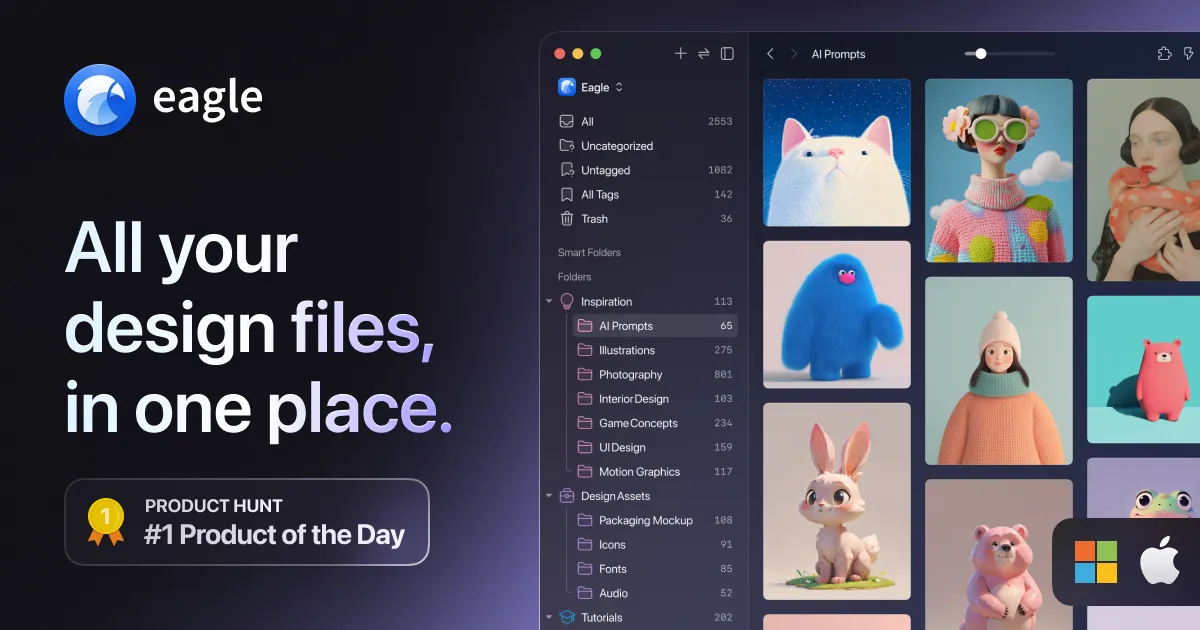
Eagle is a visual asset management tool for Mac that incorporates design references, screenshots, illustrations, fonts, videos, and other visual files into one searchable library. Eagle makes it easier for designers and other visual professionals to accumulate their inspiration in one place.
Capture images and references
Browser plugins available for Safari, Chrome, Firefox, and Edge allow users to capture images, extract multiple assets from a website, and take screenshots. It is also possible to add assets via drag-and-drop of files into the application, copy-and-paste operation, or import existing folders.
Organize, search, and preview
- Manage assets using nested folders, tags, star ratings, and notes. Smart folders automatically collect items based on rules such as tags, file format, or color.
- Search for keywords, colors, and file attributes; detect duplicate files and rename files in bulk.
- Preview images, GIFs, video, audio, and fonts directly in the library. Plugins add new features to Eagle.
- There is an option of installing the AI Search plugin to find similar images and perform natural language searches using the text information of assets including filenames and notes. The search works locally, no file upload needed.
Storage, compatibility, and licensing
Eagle stores its libraries locally instead of supplying its own cloud storage. Libraries can be synchronized using third-party services such as Dropbox or Google Drive. Importing typically creates copies rather than merely linking to existing files, so large collections can use additional disk space.
Eagle offers a 30-day trial, followed by a $34.95 one-time license for up to two Mac or Windows devices, with lifetime software updates. Separate Apple Silicon and Intel Mac downloads are available; the official download page lists macOS 10.15+ for Apple Silicon and 10.13+ for Intel.
Eagle
Build a better setup around Eagle
Apps and workflows that pair well with Eagle and help you do more with your setup.