

Woday
A daily planner linking your calendar, tasks, habits and notes in one Mac app.
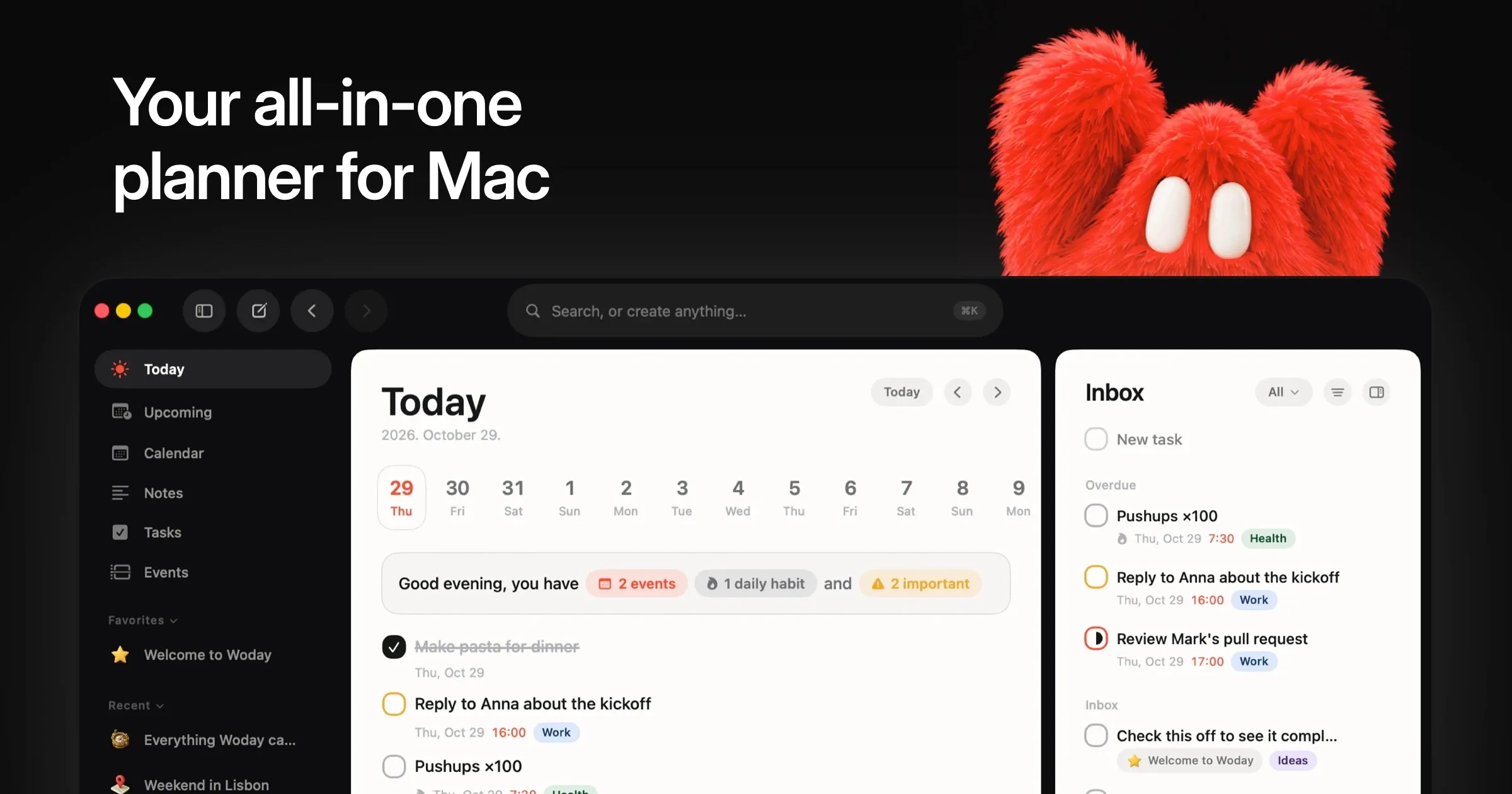
Woday is a native macOS day planner that brings calendar events, to-dos, habits and notes into one workspace. Its distinguishing feature is the ability to link tasks and notes directly to events, keeping plans and the work behind them together.
Calendar and task planning
View events in weekly, monthly or two- to four-day layouts, and join meetings from the calendar. With permission, Woday shows Apple Calendar and Reminders, including Google or Outlook calendars already added to macOS. An optional direct Google Calendar connection is also available, while Apple Reminders can be edited and completed with changes synced back.
Tasks support subtasks, due dates, reminders, priorities, tags and recurring habits with streaks. Switch between list, Kanban board and calendar views, or schedule work for a day, week, month or Someday.
Connected notes and quick capture
The block-based notes editor supports checklists, images and links to tasks, events or other notes. Folders and tags organize all three item types; file attachments can be added to them too. Selected Apple Notes folders can sync through iCloud.
The Quick Launcher (Option-Space) searches the workspace and creates tasks, notes or events. A configurable menu bar panel provides access through a dropdown, floating window or screen-edge layout. Integrations include Todoist and Linear, plus a local MCP server for compatible clients.
Woday also offers optional AI assistance with user-provided Claude, ChatGPT, Gemini or Grok API keys. Requests may send relevant content to the selected provider. On compatible Macs, Apple Intelligence can rewrite or summarize text on-device.
Data, licensing and compatibility
Content is stored locally without a Woday account. Optional iCloud sync uses the user's private CloudKit database. Calendar and Reminders access requires macOS permission.
Woday requires macOS 26 (Tahoe) or later; an iPhone app is planned but not yet available. Its current $19 early-user offer is a one-time purchase, excluding applicable VAT, with lifetime updates and a license for up to two Macs. The developer advertises a 14-day money-back guarantee.
More ways to build your Mac setup
Editorial collections for putting together a more useful Mac setup.