
ExtraDock 5
Add multiple customizable docks to your Mac, with per-monitor layouts, widgets and app shortcuts.
ExtraDock 5 is a macOS utility for adding multiple customizable docks instead of relying on a single built-in Dock. Each dock can hold its own apps, files, folders and widgets, with independent settings and placement. Use it alongside Apple's Dock or configure it to replace the usual Dock setup.
Docks for different screens and workflows
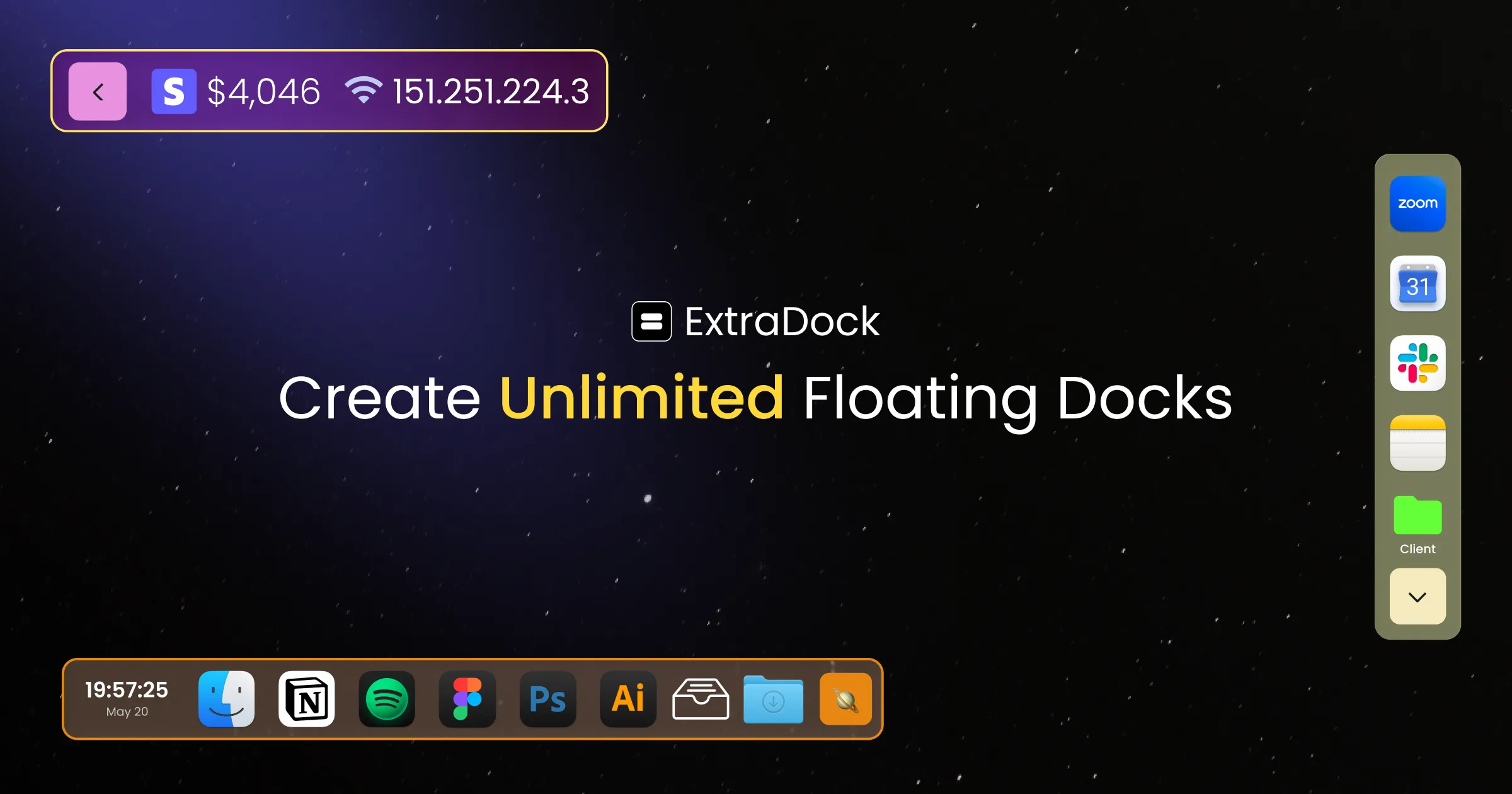
Create horizontal or vertical docks, pin them to screen edges or let them float. Assign a dock to a particular monitor, or mirror the same dock across all connected displays. ExtraDock can hide display-specific docks when a monitor disconnects and restore them when it returns.
Each dock has controls for icon size, spacing, custom app icons, magnification, solid or Liquid Glass backgrounds, auto-hide, fullscreen visibility and a collapsed one-button view. A Reserve Dock Space option helps keep other windows from covering a dock.
Live apps, folders and widgets
- Live Dock mirrors the native macOS Dock or running apps onto another screen.
- Space Awareness shows apps running in the current macOS Space (virtual desktop).
- Folder Stacks, App Stacks and Shelf provide access to grouped apps and files, including drag-and-drop workflows.
- System widgets include clocks, CPU and memory usage, battery status and other utilities.
Compatibility, permissions and licensing
ExtraDock 5 requires macOS 26 or later; ExtraDock 4 is available for macOS 12.4 through 15. Install the downloaded disk image by dragging the app into Applications. Some functions require Accessibility permission, while window previews require Screen Recording access.
Apple Mail and Messages notification badges cannot be read, and certain DisplayLink or dock-connected monitors may need their screen assignments corrected after reconnection.
A paid license is required, with no free trial. A one-year license starts at $14.99 for one Mac. Lifetime licenses include one year of updates, while the Forever Edition includes future updates. The developer offers a 14-day money-back guarantee.
More ways to build your Mac setup
Editorial collections for putting together a more useful Mac setup.