
Drop Down
Hide and organize Mac menu bar icons in a collapsible panel, with quick access, keyboard shortcuts, and notification indicators.
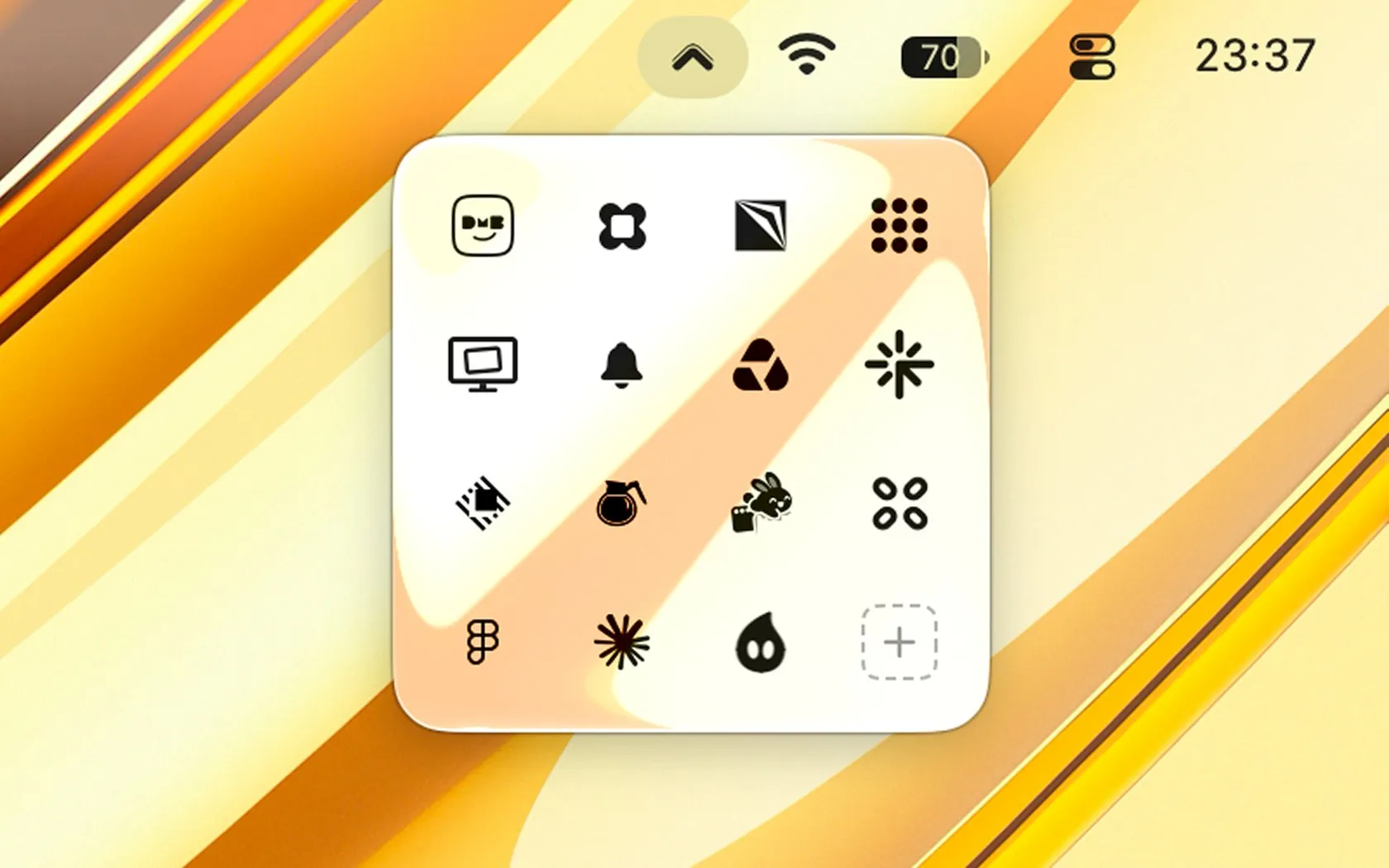
Drop Down is a macOS menu bar organizer that hides unused icons behind a chevron and keeps them accessible in a compact panel. Users can choose which icons stay visible without disabling their apps or losing access to their menus.
Hide and access menu bar icons
Select which apps to hide during setup or in Settings. Click the chevron or press Control-Option-Command-D to open the panel and access hidden icons. Drop Down also supports keyboard navigation, right-click actions, and dragging icons back into the menu bar.
Additional features include:
- Notification indicators: Shows a dot when hidden apps have detected Dock badge notifications.
- Show all shortcut: Press Control-Option-Command-H to temporarily restore hidden icons.
- Quick app access: Open, locate, or quit apps directly from the panel.
- System items: Hide supported built-in macOS menu bar icons.
Panel customization
The free Basic edition includes a grid layout, notification dots, and access to hidden app menus. Drop Down Pro adds customizable grid sizes, multiple pages, list view, search filtering, custom icon ordering, themes, and personalized app icons.
Drop Down restores hidden icons when it quits or crashes and pauses hiding when another supported menu bar manager is detected.
Compatibility and pricing
Drop Down requires macOS 15 or later and Apple silicon; Intel Macs are unsupported. Accessibility permission is required, while optional Screen Recording permission enables accurate menu bar icon previews.
On macOS 15 and 26, its icon-hiding method may occasionally cause brief pointer movement. macOS 27 has additional restrictions affecting certain system elements.
Basic is free without an account or time limit. Pro costs $3.99 as a one-time Early Access purchase, covering up to three Macs with updates included. The planned price from version 1.0 is $6.99.
More ways to build your Mac setup
Editorial collections for putting together a more useful Mac setup.