🚀 We're still curating great Mac apps. Official launch: November 12, 2026.

MicroNotch
A Mac notch utility with on-device voice dictation, clipboard history, file tools, and AI coding-session monitoring.
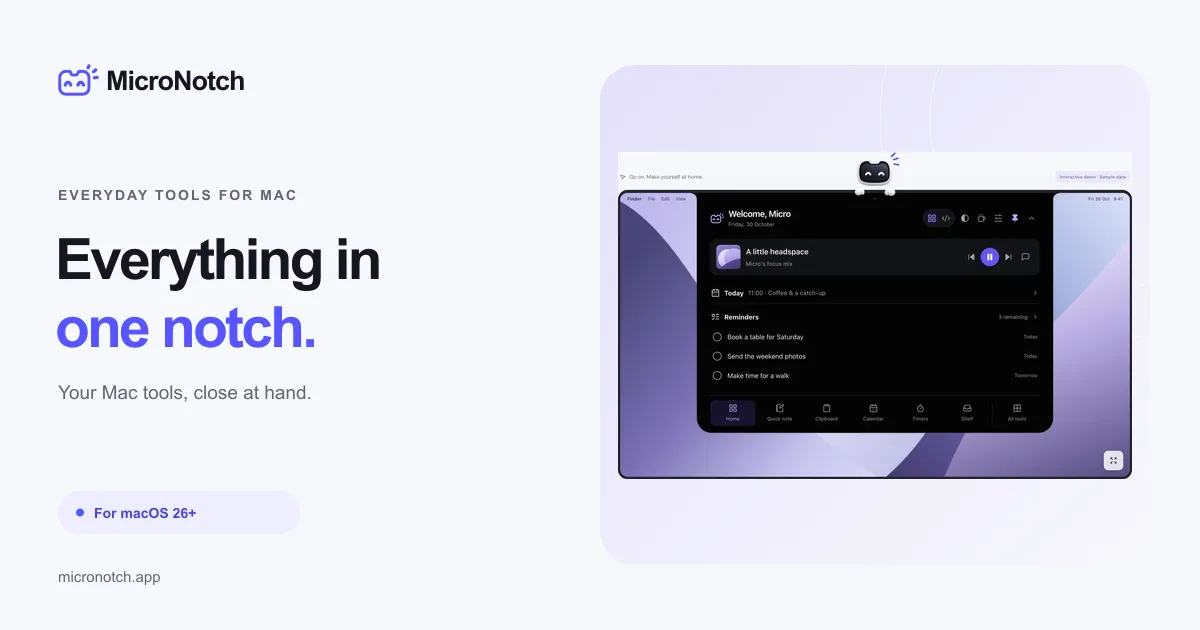
MicroNotch is a macOS utility that gathers everyday tools in a compact panel at the top of the screen. It combines clipboard history, files, timers and music controls with local dictation and AI coding-session monitoring. A physical notch is optional.
Dictate text directly on your Mac
MicroVoice transcribes English using a downloadable, approximately 345 MB AI model rather than a cloud transcription service. Hold Fn to speak and release to transcribe, or double-tap Fn for hands-free recording. It can insert text into the active app, but also copies each transcript to the clipboard. Recordings are limited to two minutes. It needs Microphone and Input Monitoring permissions, plus Accessibility to insert text; its model is designed for Apple silicon and has not been verified on Intel Macs.
Everyday tools and coding sessions
- Clipboard and file shelf: Search copied items or keep file copies for dragging, ZIP creation and AirDrop. Clipboard history is opt-in; removing shelf copies does not remove the original files.
- Focus and planning: Use Pomodoro timers, a stopwatch, quick notes, local to-dos, Apple Reminders and calendar views.
- Music and utilities: Control Apple Music or Spotify, run Apple Shortcuts, and access system statistics, a camera mirror, weather and other tools.
- Code mode: Follow supported Codex, Claude Code, Cursor and Antigravity sessions, including work that needs attention. Direct replies and approvals depend on the connected provider.
Up to six tools can be pinned as favourites, and Control–Option–K opens a command palette.
Compatibility, privacy and purchase
MicroNotch requires macOS 26 or later and also works as a top-of-screen panel on external displays. Notes and clipboard history stay locally on the Mac, while optional connected tools and licence checks require internet access. The developer states that the download is signed and Apple-notarised.
A three-day trial needs no payment card. The launch price is £14.99 one-time (standard £19.99), covering two active Macs and future major updates. Licence activation needs internet access; paid offline use continues for up to 30 days after a successful online check.
More ways to build your Mac setup
Editorial collections for putting together a more useful Mac setup.