

Perchy
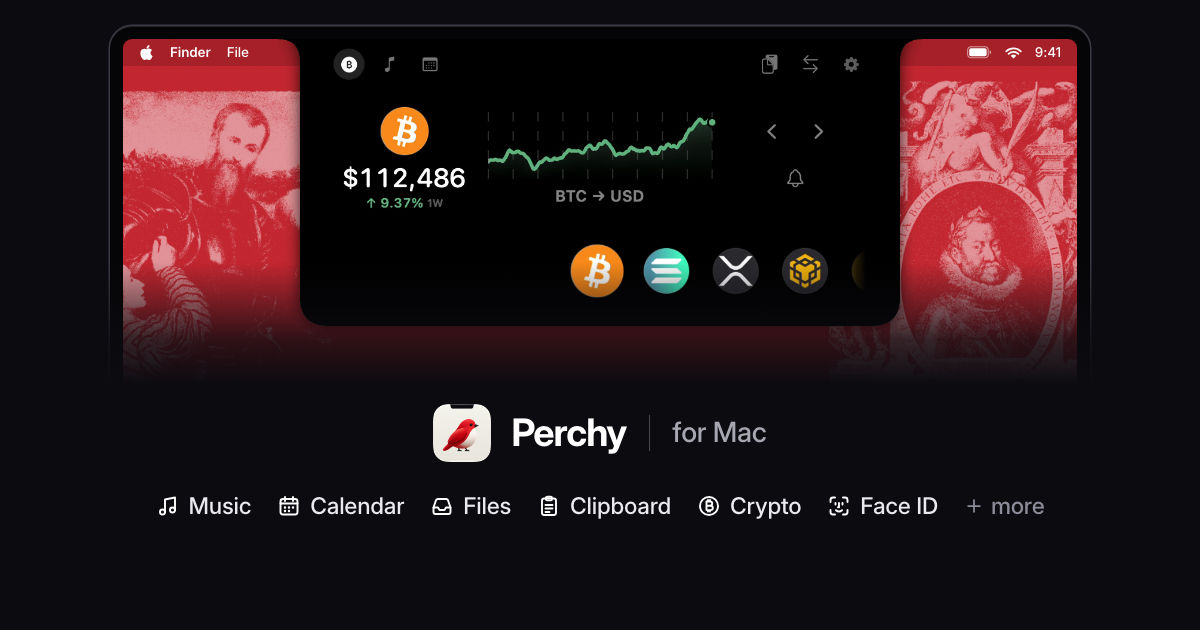
Turn your Mac’s notch into a dashboard for crypto prices, music, calendar events, clipboard history, and files.
- Clipboard History
- Currency Converter
- Direct Download
- Free Trial
- Freemium
- Menu Bar
- Native Mac
- Notch
- One-Time Purchase
Perchy is a native macOS utility that expands the area around a MacBook's camera notch into a dashboard for cryptocurrency prices, music, calendar events, clipboard history and files. Macs without a built-in notch can show a simulated notch or a Dynamic Island-style pill. Open the panel by hovering, using its menu bar icon or pressing a customizable shortcut.
Markets and everyday tools
- Crypto tracking: View prices and charts, search for tokens and set price alerts. Free supports two coins, one alert, a one-day chart and updates every five minutes. Pro increases those limits to 30 coins, 20 alerts and one-minute updates, with additional chart ranges.
- Music and calendar: Control Spotify, Apple Music, YouTube Music and other macOS Now Playing sources. Browse today's Apple Calendar events and join supported video meetings. Pro adds a week view, meeting reminders, synced lyrics and AirPlay selection.
- Clipboard and Files Tray: Reuse the last five copies (held in memory) and park up to three files for drag-and-drop. Pro provides 30 clipboard entries with pinning and a 12-file tray, plus file conversion and batch AirDrop.
- Currency conversion: Pro converts between cryptocurrencies and 30 fiat currencies; fiat rates are updated daily.
Notch indicators and optional controls
Perchy displays charging, volume, brightness and AirPods status near the notch. Pro adds a window switcher, Keep Awake controls, Clock timers, lock-screen music and optional Face Unlock. Apple Intelligence clipboard actions require macOS 26. Face Unlock uses a standard camera rather than depth-based authentication and is not equivalent to Touch ID.
Compatibility and cost
Perchy requires macOS 14 or later and supports Apple silicon and Intel Macs. The Apple-notarized app is installed from the developer's DMG. The free tier does not expire, and first launch includes a seven-day Pro trial without payment details. Pro costs $14.99 once for two Macs, without a subscription. Fresh market data requires internet access; some optional features request Calendar, Accessibility, Screen Recording or Full Disk Access permissions. Crypto prices may be delayed or inaccurate.
More ways to build your Mac setup
Editorial collections for putting together a more useful Mac setup.