🚀 We're still curating great Mac apps. Official launch: November 12, 2026.

MeowDisplay
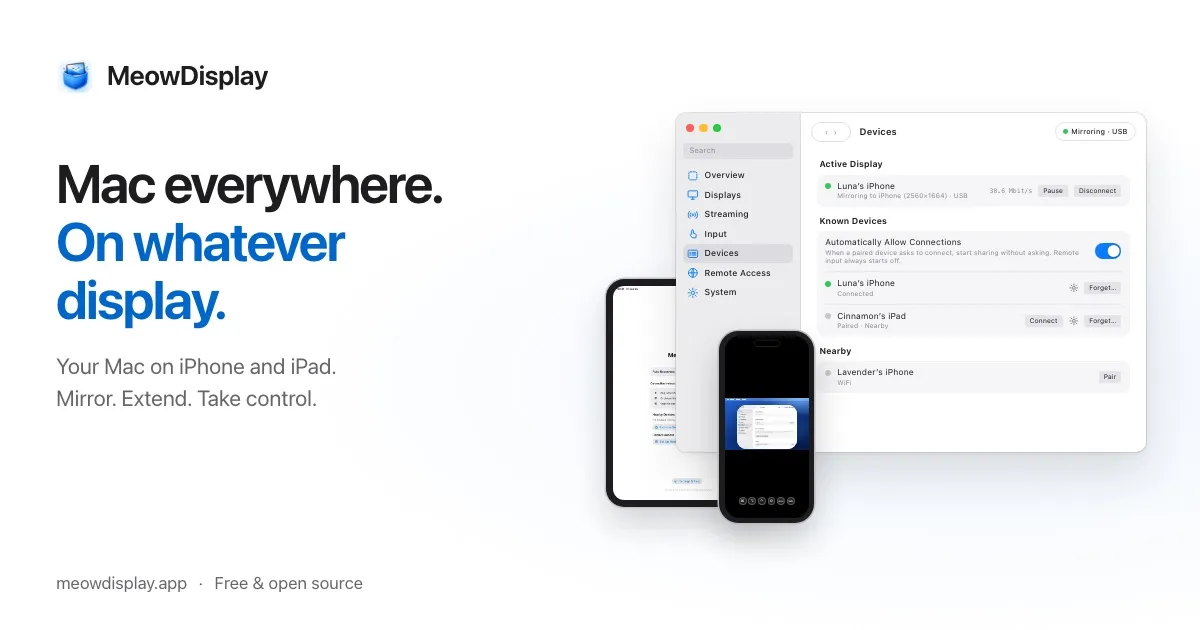
Use your iPhone, iPad, or another Mac as a mirrored or extended display for your Mac, with touch controls, window layouts, and remote access.
MeowDisplay is a free, open-source app that turns an iPhone, iPad, or another Mac into a display for your Mac. It can mirror an existing screen, extend the desktop with a virtual display, or show selected Mac windows in a touch-friendly layout. With permission, a connected device can also control the Mac rather than simply view it.
Displays and touch controls
- Mirror and Extend: Duplicate a Mac screen or create an extra workspace. Multiple receivers can use different display modes at the same time.
- Window view and Stage Peek: Arrange individual Mac windows as tabs or split panes, then switch between them from the edge of an iPhone or iPad.
- Touch and keyboard: Choose Natural Touch or trackpad-style input, use Mac gestures and customizable shortcut trays, or work with Apple Pencil on supported iPads.
- Files and audio: Browse and transfer files through permission-controlled Remote Finder, opt into clipboard sharing, stream Mac audio with A/V sync, or monitor a session in a view-only Picture in Picture window.
Connections, privacy, and compatibility
Connect an iPhone or iPad over USB, local Wi-Fi, or nearby peer-to-peer Wi-Fi. Away from the local network, remote access requires a reachable private network such as Tailscale; MeowDisplay has no hosted relay or account service. Devices pair using a verification code, and sessions use mutually authenticated TLS 1.3. The Mac needs Screen Recording permission for video, plus Accessibility permission and separate approval for remote input.
The main Mac app requires macOS 14 or later and supports both Apple silicon and Intel. A separate receiver-only Mac app supports macOS 12+. iPhone and iPad receivers need iOS/iPadOS 16.4 or later. Android 10+ is in closed testing without USB support, and physical testing of Mac-to-Mac input is still ongoing. The GPL-3.0-licensed app is available as a Mac download or through Homebrew, with the iPhone and iPad receiver on the App Store.
More ways to build your Mac setup
Editorial collections for putting together a more useful Mac setup.