

Soulver
A notepad calculator that solves written calculations as you type.
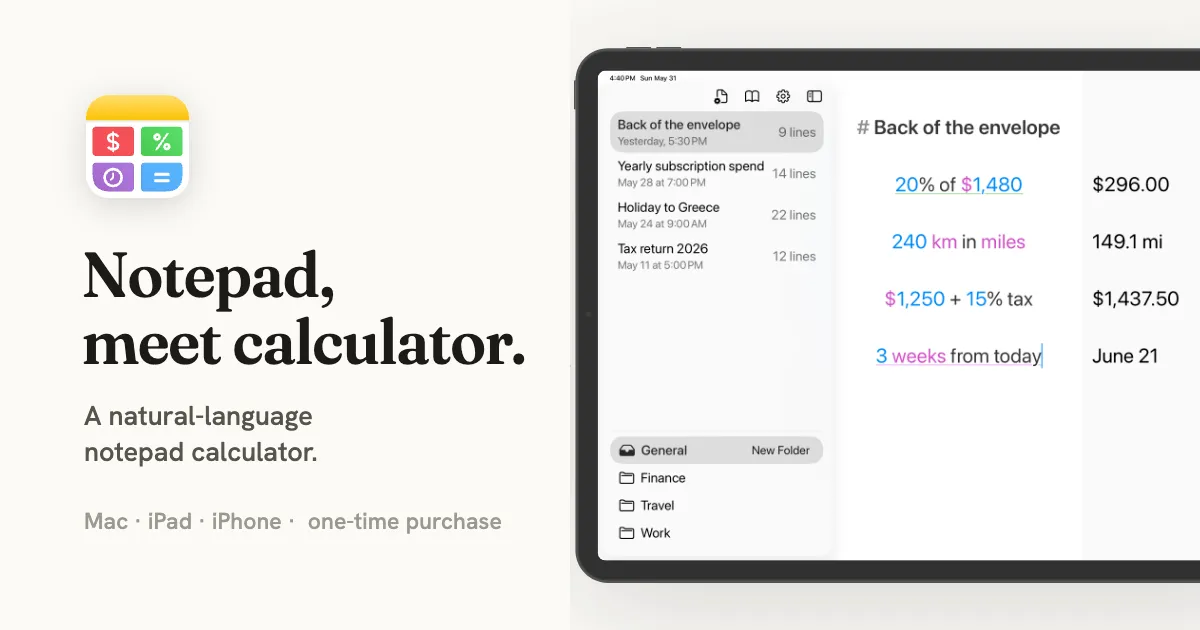
Soulver is a natural-language notepad calculator for Mac that works out calculations as you type, displaying answers beside editable lines of text. Instead of entering one expression at a time, you can write through a problem with labels and explanations, making it useful for budgets, estimates, comparisons, and other multi-step calculations.
Calculate with words and numbers
Soulver recognizes ordinary arithmetic, percentages, and phrases such as “20% of 450” without requiring a formula bar. It also handles unit and currency conversions, dates, clock times, time zones, loan calculations, and other mathematical functions.
- Linked results: Reference an earlier line and its dependent answers update when the original calculation changes.
- Variables and subtotals: Name values with phrases such as “hourly rate,” reuse them throughout a sheet, and group expenses into subtotals.
- Readable sheets: Add headings, labels, comments, and highlights to keep longer calculations understandable.
- Live data: Look up currency rates, stock prices, and weather. Expanded stock coverage and Wolfram|Alpha queries require an optional data-services subscription.
Keep calculations available
Sheets can sync across Mac, iPhone, and iPad through iCloud. On Mac, Soulver can export to PDF or plain text, print sheets, and share formatted HTML emails. It also offers custom units, global variables, Apple Shortcuts actions, URL schemes, and a command-line interface for automation.
The calculation engine runs on-device without generative AI, although live data lookups need connectivity. Soulver is meant for flexible, explained calculations rather than managing large spreadsheet datasets.
Trial and purchase
Soulver has a 60-day free trial and costs $59 as a one-time purchase for Mac, iPhone, and iPad. After the trial, sheets remain viewable and exportable, but editing requires purchase; there is no automatic charge. Setapp is another access option. The developer lists macOS 14 or later as the minimum for Mac, while the App Store specifies macOS 14.6 or later.
More ways to build your Mac setup
Editorial collections for putting together a more useful Mac setup.