🚀 We're still curating great Mac apps. Official launch: November 12, 2026.

NotchOwl
A notch-based task manager with focus timers, notes, reminders, and a weekly planner.
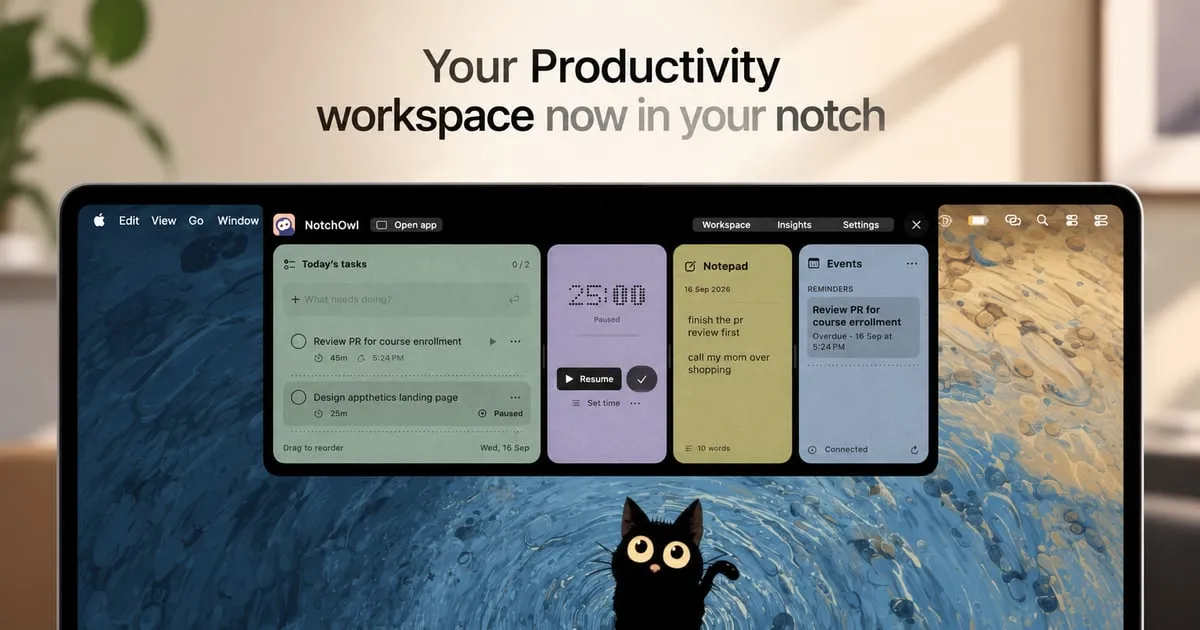
NotchOwl is a macOS task manager that turns the area around the MacBook notch into a compact workspace for tasks, focus sessions, notes, and upcoming calendar events. Hover over the notch or press Option–N to open it; a running focus timer can stay visible while you work.
Plan tasks and stay focused
- Organize tasks by day or in a weekly planner, drag them between days and an Inbox, and set deadlines, repeating schedules, priorities, and projects.
- Run a countdown or stopwatch with pause, resume, and five-minute extensions. Timers pause when the Mac sleeps, and Insights reports active focus time and completed tasks.
- Capture ideas in an auto-saving daily notepad. Press Command–Return to turn a line into a task, or dictate a task with a date or reminder using natural language.
- Keep screenshots, screen recordings, and copied items close with Clips, then copy or drag them into other apps.
Reminders sync, Calendar, and AI agents
Optional two-way Apple Reminders sync brings tasks to iPhone and Apple Watch through iCloud; it uses a NotchOwl list in Reminders rather than syncing the entire planner. Apple Calendar integration displays upcoming events without editing them. Although macOS labels the Calendar permission “Full Access,” NotchOwl says it only reads events.
A built-in local MCP server connects with Claude Code, the Claude app, and Cursor, allowing supported AI assistants to manage tasks, reminders, notes, and focus sessions.
Compatibility, privacy, and licensing
A Mac with a physical notch is not required: the workspace can open at the top center of another display. The current installer needs macOS 14 or later and Apple silicon; Intel Macs are not supported.
Planner data is stored locally, works offline after activation, and can be exported as JSON. Reminders sync uses iCloud only if enabled. The app also sends anonymous usage statistics, which can be switched off in Settings.
NotchOwl requires a paid license even though its installer is free to download. The current $9 one-time purchase covers up to three Macs and lifetime updates, with no subscription. Activation needs internet access; a 14-day money-back guarantee is available subject to the developer’s refund conditions.
NotchOwl
Build a better setup around NotchOwl
Apps and workflows that pair well with NotchOwl and help you do more with your setup.