

Kitbar
Monitor deployments, code checks, payments, and AI usage from a slim desktop status bar.
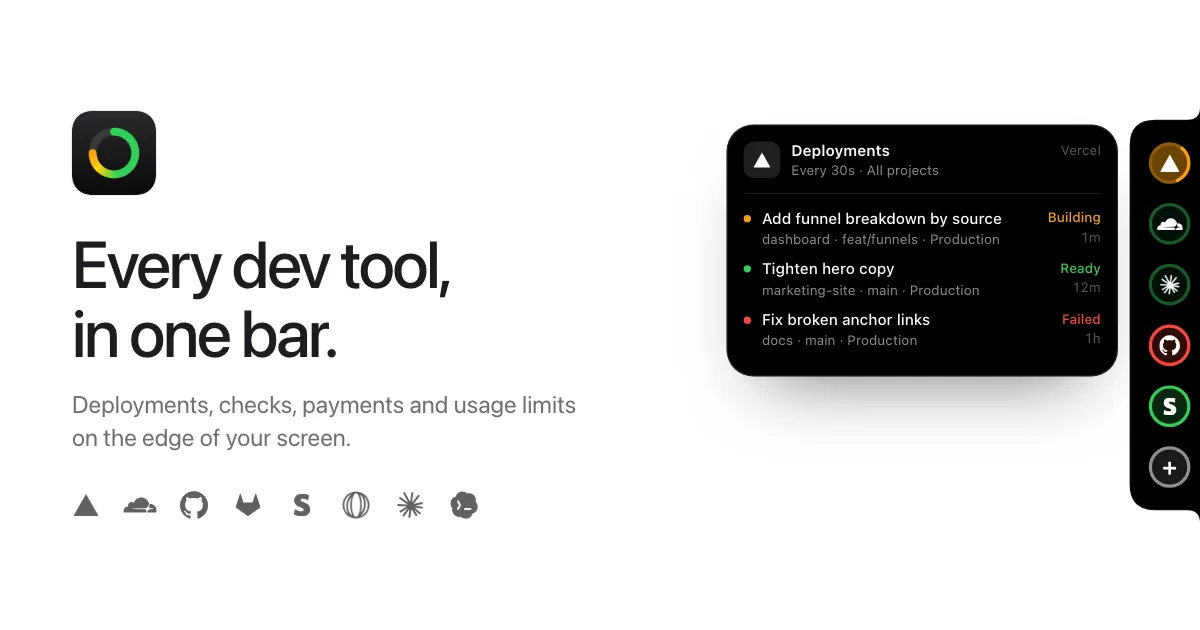
Kitbar is a native desktop status bar for macOS and Windows that brings development and business updates into a narrow strip along the edge of the screen. Instead of reopening several dashboards, developers can check deployments, code checks, payments, and AI coding-tool limits in one place. Each connected service has a status ring, with a small detail card available when you point at it.
Deployments, payments, and coding limits
Kitbar includes eight service integrations:
- Vercel and Cloudflare: Follow deployment progress and failures.
- GitHub and GitLab: See repository checks and recent activity.
- Stripe and Polar: Keep an eye on payments and orders.
- Claude Code and Codex: Check coding-tool usage limits.
Status rings use color to distinguish normal activity, work in progress, and failures, while a brighter ring indicates something new. Detail cards can show recent events and, where supported and authorized, offer actions such as redeploying or rerunning checks.
Direct connections and local credentials
Kitbar connects to services directly from the computer rather than routing their data through a Kitbar account or monitoring server. Depending on the integration, setup uses a service login, an API key, or an existing command-line sign-in. The developers state that credentials remain in the operating system's secure credential storage. The Claude Code and Codex integrations use local command-line tools to check limits.
Compatibility and licensing
Kitbar requires macOS 15 Sequoia or later and supports both Apple silicon and Intel Macs. It is also available for Windows 10 and 11. It is sold directly rather than through the Mac App Store, so users need to obtain it from the developer's website and configure the services they want to monitor.
The standard starting license is a $29 one-time purchase for three devices, with larger device tiers available and updates included. Kitbar is focused on its supported integrations rather than general-purpose system monitoring; developers using other platforms should check the connector list before purchasing.
More ways to build your Mac setup
Editorial collections for putting together a more useful Mac setup.