
GoodLinks
Save web articles, read offline, and organize highlights in a distraction-free reading library.
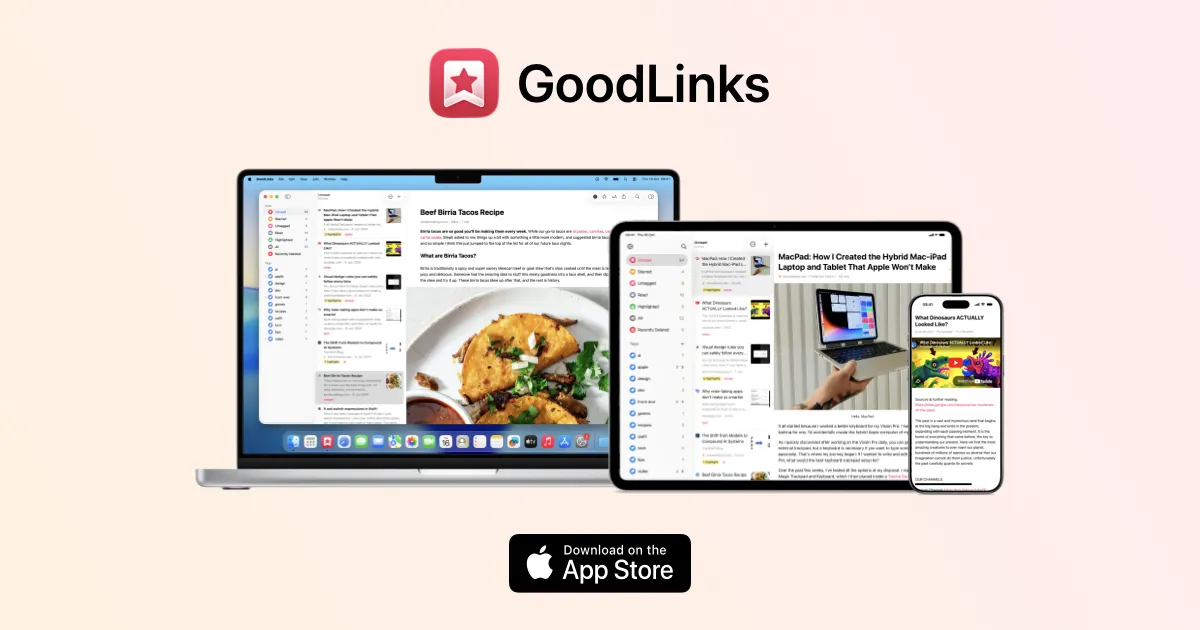
GoodLinks is a read-later and bookmark manager for Mac that saves web articles in a clean, distraction-free reader. Rather than leaving articles scattered across browser tabs, it keeps links, downloaded content, highlights, and reading progress together in a searchable library. The same App Store purchase also covers iPhone and iPad.
Save and organize articles
- Save pages from the macOS Share menu or browser extensions for Safari, Chrome, and Firefox, including compatible Chromium browsers.
- Organize links with tags, starred items, and read/unread lists; search article titles, authors, descriptions, and text.
- Import an existing reading list from services such as Pocket, Instapaper, Raindrop, or browser bookmarks.
Read, annotate, and revisit
GoodLinks extracts readable article text and removes much of the surrounding page clutter. Fonts, text size, spacing, and light or dark reading themes can be adjusted. Downloaded articles can be read offline, while highlights, colored annotations, and attached notes help preserve useful passages. Articles and highlights can be exported to formats including Markdown and PDF.
Links, tags, highlights, and reading position sync through iCloud without requiring a separate GoodLinks account. Syncing complete article copies and images between devices is a Premium feature; ordinary link syncing is distinct from this archival option.
Mac workflows and newer tools
GoodLinks supports Apple Shortcuts and AppleScript, plus custom actions for sharing and exporting. On macOS it also offers a menu bar mode, a local API, and a command-line tool and MCP server for integrations with compatible AI assistants. Article summarization uses Apple Intelligence on supported systems or a configured external AI provider. Premium AI Custom Actions require macOS 27 or later; third-party providers may need API keys and may charge separately.
Purchase and requirements
GoodLinks costs $9.99 in the US App Store and requires macOS 13 or later. The one-time purchase permanently unlocks the features included at purchase and new features released during the following year. After that, an optional GoodLinks Premium subscription is needed for subsequently introduced premium features; previously unlocked features remain usable without renewal. There is no separate account to create, but iCloud syncing requires an Apple account and iCloud Drive.
More ways to build your Mac setup
Editorial collections for putting together a more useful Mac setup.